It's Thursday afternoon and your finance manager gets an email from you. It sounds like you, it mentions the supplier you met last week, and it asks for an invoice to be paid before the weekend because the new bank details came through late. There isn't a spelling mistake in it.
You didn't send it.
For years the advice was to look for the dodgy grammar and the strange email address. That advice stopped working once scammers started using AI. This guide is for nonprofit leaders and boards: what has changed, why your organisation is a target, and the few rules you can set that still stop these scams, however convincing the message looks.
What AI has changed for scammers, and what it hasn't
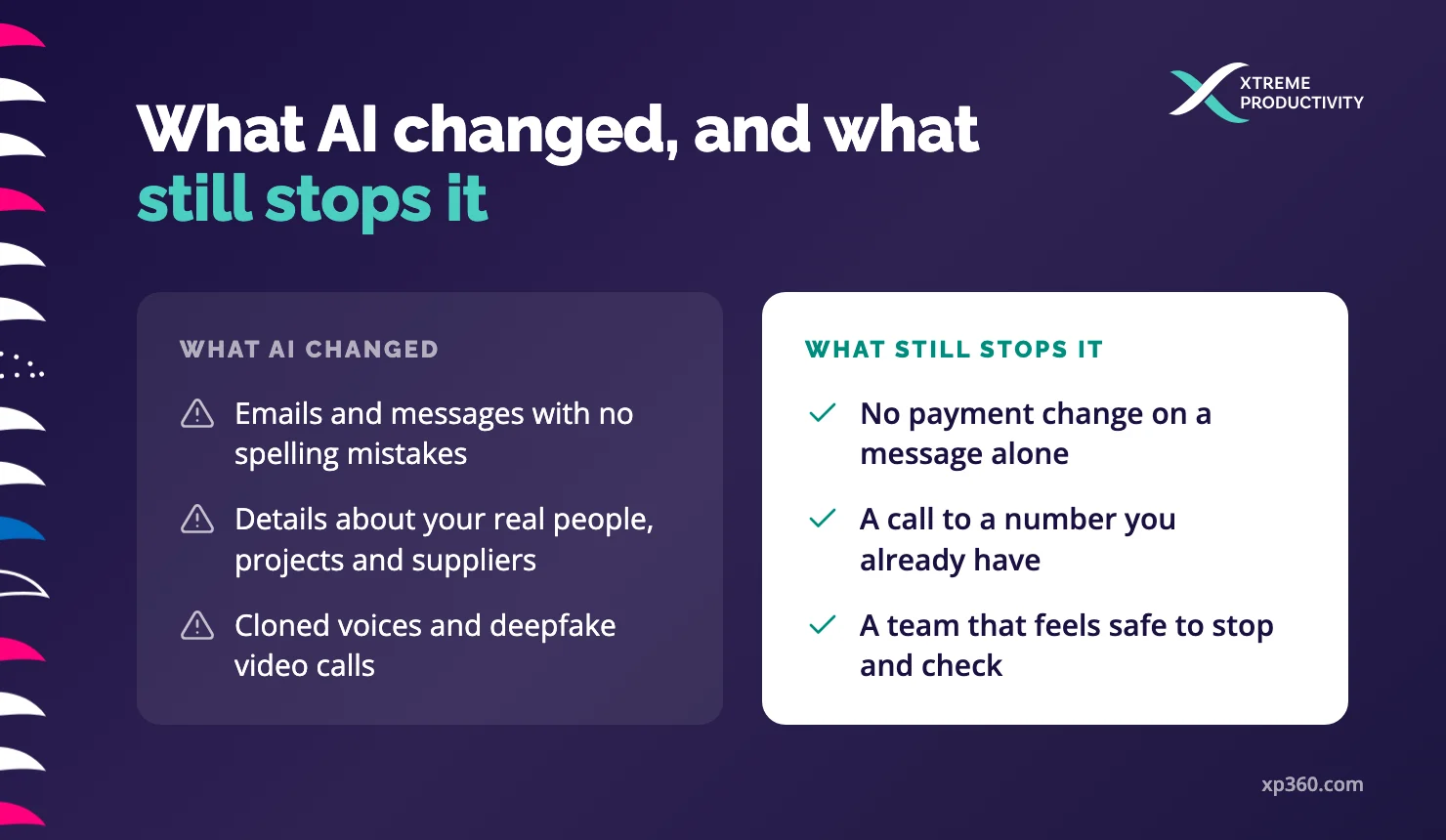
Phishing emails now arrive with perfect grammar and the right tone. AI can read your website, annual report and LinkedIn pages in minutes, then write a message that mentions your real people, projects and suppliers. Cloned voices and deepfake video make a phone call or a video meeting harder to doubt.
The Australian Signals Directorate (ASD) covers this in its latest Annual Cyber Threat Report, published in October 2026. Criminals can now use AI to produce convincing emails, messages, images and even voice recordings. But the report also makes a point every leader should hear: AI makes these attacks easier and lets criminals send far more of them, “but does not fundamentally change the nature of social engineering attacks”.
That's the good news. The scam still depends on someone being rushed into skipping a normal check. Better fakes don't change that, so a clear rule about payments still works.
The best-known example is Arup, the global engineering firm. In early 2024 an employee in its Hong Kong office joined a video call with people who looked and sounded like senior staff. They were deepfakes. The employee made 15 transfers totalling HK$200 million (about £20 million) (The Guardian).
Why nonprofits are in range
Criminals go where the money moves and the checks are light. Many nonprofits fit that well, for reasons that have nothing to do with how careful your people are.
- Your leaders, board and finance team are named on your website and in your annual report, which makes them easy to impersonate
- Small finance teams often have one person who can both set up a new supplier and pay them
- Nonprofit culture runs on trust and goodwill, and people want to help when the chief executive asks
- Staff and volunteers often use personal phones and messaging apps for work
- IT is often one person, or a part of someone's role
The ASD report notes that attackers go after the people who can approve payments, and that anyone from a new employee to the chief executive can be a target. In a nonprofit that's often a small group, and their names are public.
What it costs when it works
In New Zealand, the National Cyber Security Centre recorded NZ$12.4 million in direct financial losses in the third quarter of 2025, more than double the quarter before (NCSC). It pointed to a small number of high-value losses, including business email compromise, where a criminal gets into an email account and sends fake invoices or changes payment details. Scams and fraud were again the most commonly reported incident type in the second quarter of 2026 (NCSC).
In Australia, the average self-reported cost of a cybercrime to a business rose to A$93,500 in 2025-26, and A$55,400 for a small business (ASD). For a nonprofit, that's money meant for your programmes.
Money is only part of it. A supporter who hears that donations went to a scammer may not give again, and your team carries the stress of it for a long time.
What our IT support team sees most
When we asked our IT support team what they look out for with our nonprofit clients, keeping devices updated came first, then “phishing emails, invoices and E gifts”.
The e-gift scam is a message that looks like it's from your chief executive, asking a staff member to pick up some gift cards for the team, such as Prezzy cards here in New Zealand.
The fake invoice can cost far more. It often comes from a supplier you really do work with, sometimes from their real email account after someone has broken into it, with a note that their bank details have changed. Because the email comes from the right address and mentions a real job, nothing about it looks wrong.
The team also watches for sign-in prompts that nobody asked for. If your phone asks you to approve a sign-in and you weren't logging in to anything, it may mean someone else has your password and is trying to get past the last check.
Our team has been dealing with these scams for years. What's different now is how well the messages are written. They read like they came from the person, and they mention details that make them feel genuine, so looking for mistakes no longer catches them.
Being away makes it worse. Two people we know were caught by a fake “CEO” message on WhatsApp while they were on holiday. They were on their personal phones, out of their normal routine, and a work request on a different app didn't seem odd at the time.
Five rules leaders can set this month
These are decisions for leaders to make. Each one costs little, and each one works however good the fake is.
1. One payment rule, with no exceptions
No new bank details, urgent payment or gift card purchase goes ahead on an email, text or message alone. Whoever receives the request calls the person on a number they already have, never one in the message, and never by replying to it.
Write it down, and make sure the board and the chief executive follow it too.
2. Two people for anything new
Setting up a new supplier or changing a supplier's bank account needs two people: one to make the change and one to check it. If your team is too small for that, ask a board treasurer or an outside bookkeeper to be the second person.
3. Make it safe to slow down
Scammers rely on urgency and seniority. Tell your team, out loud and in writing, that you will never ask them to skip the check, and that you'll thank anyone who calls to confirm a request from you. If a call to check feels rude, people won't make it.
4. Lock the front door
Turn on multi-factor authentication (MFA) for email, banking, finance and fundraising systems, including shared logins. Then teach people one more habit: if a sign-in prompt appears that you didn't start, deny it and tell someone. Approving a stray prompt can hand over the account.
5. Know who to call
Agree now what happens if money goes to the wrong place. Call your bank straight away and ask them to stop or freeze the payment, then call your IT support so they can check whether an email account has been broken into. Then report it:
Keep these details somewhere people can find without logging in to anything.
Questions to take to your next board meeting
- Who can change a supplier's bank details, and who checks it?
- Would our finance team call the chief executive to confirm an urgent request, and would they feel comfortable doing it?
- Is MFA on every account that can move money or reach donor data?
- If we lost money tomorrow, who would we call first?
If any answer is “we're not sure”, that's where to start. Most of these take a conversation and a written rule, not a budget.
Sources
- Australian Signals Directorate, Annual Cyber Threat Report 2025-26: Social engineering, 26 October 2026
- Australian Signals Directorate, Annual Cyber Threat Report 2025-26: Year in review, 26 October 2026
- National Cyber Security Centre, NCSC report for Quarter 3 2025 shows large increase in reported financial losses, 18 December 2025
- National Cyber Security Centre, New Zealanders urged to take care as cyber security incidents become more complex, 20 August 2026
- Australian Signals Directorate, Submit a report
- National Cyber Security Centre, Report a cyber security issue
- Canadian Anti-Fraud Centre, Report fraud and cybercrime
- The Guardian, UK engineering firm Arup falls victim to £20m deepfake scam, 17 May 2024